Introduction
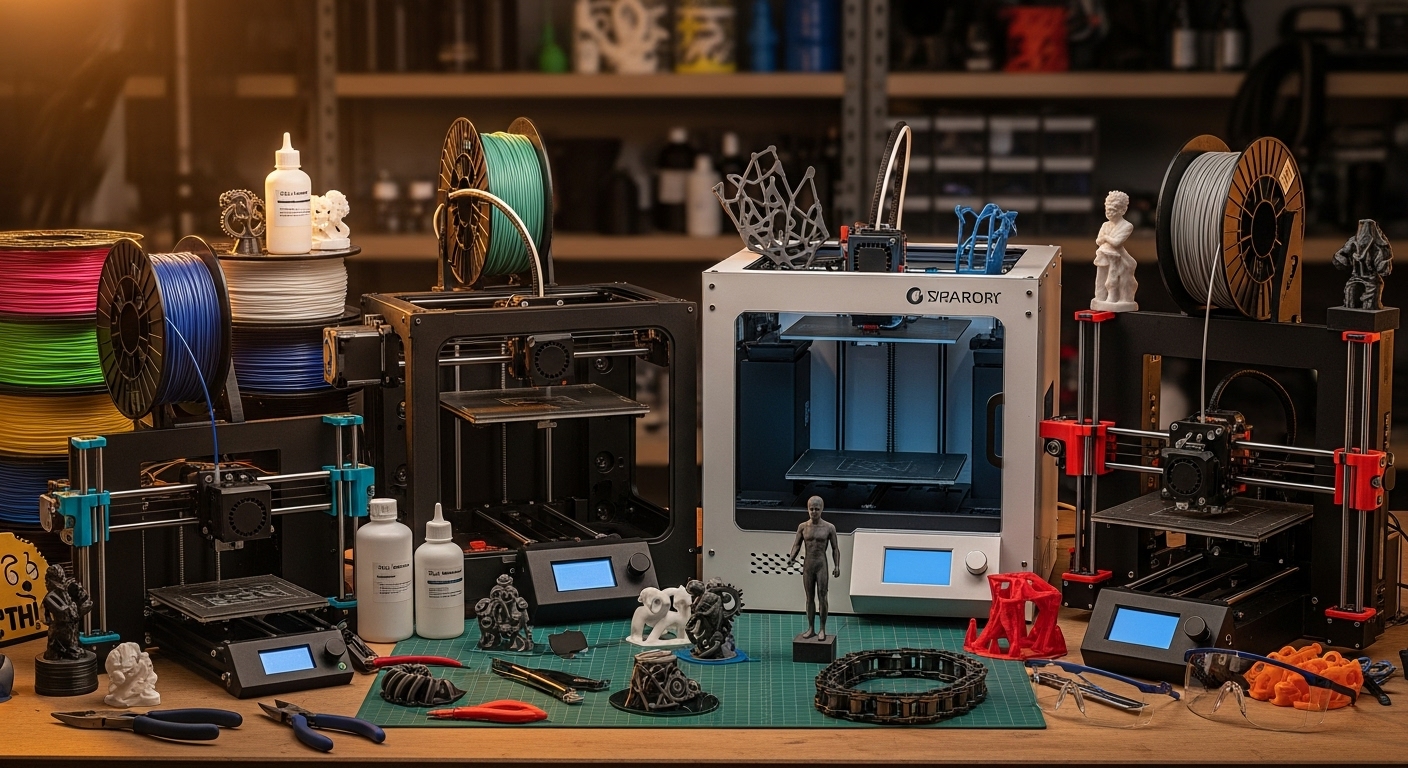
Three-dimensional printing has evolved from niche DIY labs and expensive prototyping machines into accessible devices that hobbyists, smaller workshops, and even everyday users can set up at home. Home 3D printers now come in a wide range of types, sizes, and price points. For some, the goal is to make small parts, tools, or custom bits for repairs. For others, it’s cosplay props, scale models, or artistic expression. In order to choose a great home 3D printer, one needs to balance ease of use, print quality, safety, materials, support, and cost.
This article explores how to evaluate a 3D printer for home use, the features you should prioritize, what trade-offs to expect, and some of the best printers in the market right now (for both beginners and more advanced users). By the end, you’ll have a clearer idea of what to look for and which machines may be right for your needs.
What Makes a Good Home 3D Printer
Before looking at specific models, it helps to understand the qualities that matter most in a printer used at home. These guideposts help you avoid disappointment and ensure your investment delivers what you want.
Ease of Use and Setup
For home users, especially beginners, a printer that is easy to assemble (or comes pre-assembled), with a guided setup, intuitive controls, and reliable firmware/software is very valuable. Features like auto-bed leveling, good first-layer calibration, easy filament loading, and clear documentation reduce frustration.
Print Size and Build Volume
How large you want to print matters. For small figurines, test prints, repair parts or household tools, a moderate build volume (say 200 × 200 × 200 mm or similar) is often enough. If you anticipate printing larger objects (larger props, furniture components, large prototypes), you might want a larger printer. But larger printers cost more, require more space, and demand more calibration.
Print Quality and Precision
Print quality depends on many factors: nozzle size, layer height, material extrusion system, stability of frame, motion system, temperature control, bed leveling, etc. “Clean first layers”, “good surface finish”, “dimensional accuracy” are things to look for.
Material Compatibility
Common materials include PLA (easy to print, less warping), PETG (stronger, more flexible), ABS/ASA (requires heated bed/enclosure), TPU/flexible filaments, etc. Resin printers are another category, offering very high detail but with additional challenges (resin handling, post-curing, ventilation, parts removal).
Safety and Enclosure Features
Home printers should have safety features: cover or housing if printing with high temperatures or with filaments that give off fumes, thermal runaway protection, proper fan ventilation, LED or resin safety shields if using resin, etc. Noise levels, power usage, and smell play a role in a home environment.
Reliability and Support
Good documentation, spare parts availability, vibrant user community, firmware updates, and responsive support all contribute to a printer that serves well over time. A cheap printer that frequently fails or needs constant tinkering may cost more in time and stress than a slightly more expensive but reliable one.
Cost of Ownership
Beyond purchase price, consider cost of filament or resin, maintenance, consumables (nozzles, bed surfaces), electricity, and potential upgrades. A good printer will allow you to use common filaments, have parts that are reasonably priced, and not rely on proprietary components that are hard to get.
Types of 3D Printers Fit for Home Use
Home printers generally fall into a few categories. Knowing what type suits your needs helps with selection.
- FDM / FFF (Fused Filament Deposition / Fabrication): Uses filament (plastic string) melted through a hot end. Good for general purpose, functional parts, larger objects. More forgiving materials, cheaper filament.
- Resin / MSLA / SLA: Uses UV light to cure liquid resin layer by layer. Higher detail, better surface finish, good for miniatures, jewelry, dental models, etc. More safety and post-processing needed.
- Large Format / Big Build Volume: For those who need to print large objects (e.g. large prototypes, display items, large props), often heavier, more expensive, takes more space.
- Multi-material or Multi-color Printers: Printers that allow printing with multiple filaments or colors, or swapping material during prints. Adds complexity.
Trade-Offs to Consider
There is no perfect printer for everyone. Often you trade one advantage for another. Some things to bear in mind:
- Faster print speeds often reduce print quality or require stronger frame & motion hardware.
- Higher build volume means more time per print, more filament usage, more risk of print failures near the end.
- Resin printers deliver great detail but require handling chemicals, curing stations, more cleanup, ventilation.
- Flexible or exotic filaments require specialized extruders or heated chambers; they may complicate maintenance.
- Bigger machines often cost more in electricity and require more regular maintenance.
Top Home 3D Printers Today
Based on reviews, expert tests, and community feedback, here are some of the best 3D printers for home use in different categories: beginner, mid-range, and advanced. These are examples representative of what you can get; availability, prices, and models vary by region.
Best Printers for Beginners
These printers balance price, ease of use, reliability, and enough features to get started well without overwhelming complexity.
Bambu Lab A1 Mini
One of the more beginner-friendly FDM machines. Compact in size, relatively simple bed leveling, fast enough to get good results, and reliable printing. Great for hobbyists who want decent quality without spending too much or needing too much setup. It offers solid build quality, smooth community support, and usually works well out of box.
Creality Ender-series (e.g. Ender-3 variants)
The Ender-3 line (various V2 / V3 / SE versions) has long been popular among hobbyists. They tend to be less expensive, have large user communities, spare parts are easy to find, and upgrades are possible. The trade-off is more tinkering may be required: manual leveling, occasional calibration, and sometimes more noise or vibration. But learning is part of the experience, and reports often say these printers give good value when set up properly. Reviews mention that newer Ender models include auto bed leveling and easier filament loading which help beginner experience. Tom’s Hardware+2PC Guide+2
Elegoo Saturn 4 Ultra (Resin for Beginners to Intermediate)
If you want high detail prints (miniatures, decorative items), resin printers are appealing. The Saturn 4 Ultra is praised for its large print plate, auto-leveling or level assistance, good XY resolution, and touchscreen / user interface that is easier to handle. For those who accept the safety considerations (ventilation, handling resin, post curing), it is among the best resin printers in its class. Lifewire+2Creative Bloq+2
Best Mid-Range and Advanced Printers
For users who want more precision, larger build volume, better materials, or more reliable performance, these are standout machines.
Bambu Lab P1P
Often rated among the best overall in recent tests. It offers strong print quality, relatively advanced features such as automatic bed leveling, non-trivial speed, good material compatibility, reliable performance. It is suited for users who want a printer that performs well with less tweaking. TechRadar+1
Prusa Core One
Prusa has a long reputation for quality, open-source designs, strong user community support, spares availability, firmware reliability. The Core One is praised for its precision, speed, enclosed design (helps with ABS/temperature stability), and reliability. It tends to cost more, but buyers often accept the premium in return for better long-term performance. Tom’s Hardware+2Creative Bloq+2
Creality K2 Plus / CoreXY Enclosed Machines
For users who want large build volume plus strong speed, enclosed chambers, and more robust hardware, machines like the Creality K2 Plus are excellent. They allow for more aggressive materials (ABS, nylon, etc.), better print temperature control, and lower warping. Many reviews cite them as “best overall” or high-end for home workshops. Tom’s Hardware
Best Resin Printers
Resin printers deserve their own mention because they serve a different need and have different requirements.
- Elegoo Monsters and Saturn lines tend to be leaders. Saturn 4 Ultra is especially noted for speed, auto-features (auto leveling, resin level detection), high XY resolution, larger plate. Tom’s Hardware+3Lifewire+3Vertex 3D+3
- For ultra high resolution (tiny detail) resin machines are great for miniatures, dental models, jewelry. Their trade-offs include resin cost, cleanup, handling, ventilation, and slower build height speed compared to FDM for tall prints.
Comparing Some Leading Models (Features & Trade-Offs)
Here’s a comparative look at some well-known home printers, their strengths and what you might sacrifice.
| Printer | Strengths | Things to Consider or Compromise |
|---|---|---|
| Bambu Lab A1 Mini | Small footprint, beginner friendly, good speed and quality, support and ecosystem strong | Smaller build volume; does not handle very large or high-temperature materials well; price-per-feature high for small size |
| Creality Ender-3 series | Affordable, large community, many spare parts and upgrades; good learning experience | More tinkering needed; manual calibration; may require add-ons for high reliability; sometimes noisy, less polish |
| Elegoo Saturn 4 Ultra (resin) | Excellent detail, large resin plate, automatic or assisted features; strong resin UI | Resin handling mess, smell, glove and masks needed; slower in height; parts need post cure; resin cost high |
| Bambu Lab P1P | Balanced machine: good speed, quality, material compatibility, minimal fiddling; strong brand/firmware and community | Price higher; complex features may be waste if you only print simple parts; larger size and more maintenance than simplest models |
| Prusa Core One | High reliability, top print quality, strong support, open-source parts, enclosed frame helps with challenging materials | Cost; enclosed machines get hotter; larger size; more initial investment; not as flashy speed as some “speed machines” |
What to Prioritize Depending on Use Case
The right printer depends greatly on what you plan to do. Here are some typical use cases and what to emphasize in each.
For Hobbyists / Prototyping / Small Parts
If you want to make toys, game pieces, custom phone cases, decorations etc.:
- Fine detail (resin or FDM with fine nozzle)
- Moderate print volume
- Color options less important unless multi-material
- Ease of cleaning, ease of switching materials
For Makers / DIY / Repairs
If you want to print parts for home repairs, fixtures, mechanical parts:
- Filament compatibility (PLA, PETG, ABS, maybe nylon)
- Strong frame, heated bed, possibly enclosure if using ABS
- Large bed size helpful but reliability more important than speed
For Art / Miniatures / Decoration
High detail and finish matter most:
- Resin printers shine, but require more maintenance, safety gear
- Or FDM printers with fine nozzles, excellent cooling, well-optimized slicer settings
- Think about post-processing (sanding, painting)
For Large Objects or Big Projects
Large format machines or printers with extended build volume:
- Bigger beds or machines capable of large parts
- Structural stability; heavier, more rigid components
- Cost of filament and longer print times
For Beginners / Learning
- Best ease of use, minimal initial configuration
- Strong community and good support / tutorials
- Safety features like enclosed printing, safe heating, etc.
Practical Tips for Using a Home 3D Printer
Even the best printer only works well when used properly. These are practical habits to keep prints consistent and quality good.
- Always level the bed properly; even slight mis-leveling causes first layer issues.
- Use good quality filament/resin; cheap or old materials lead to failed prints.
- Maintain the printer (lubricate rods, check belts, clean nozzles).
- Calibrate settings like temperature, retraction, cooling for your specific filament and environment.
- Work in a well-ventilated space especially for materials that off-gas (ABS, resin).
- Use safety gear (gloves, masks) when handling resins or hot parts.
- Keep spare parts: nozzles, beds, fans, etc. is handy.
Future Trends in Home 3D Printers
Looking ahead, these are developments likely to shape the next generation of home 3D printing:
- Increased automation: beds that auto level perfectly, filament changes mid-print, sensors to detect print failures.
- Multi-color, multi-material printing becoming more affordable and easier.
- Faster print speeds with improved hardware and motion systems.
- Better environmental safety: non-toxic resins, greener filament materials.
- Smarter software: slicing, monitoring, remote control from mobile.
- More compact and affordable large format printers.
Conclusion
Home 3D printing has matured significantly. What was once a hobby for tinkerers is now accessible, rich with options, and powerful. For beginners the best printers offer ease of use, reliability, and enough capability to make useful and fun prints. For more advanced users, there are machines that offer high print quality, larger volumes, exotic materials, and multi-color or multi-material capabilities.
When choosing a printer for home use, focus on what you will print, how much upkeep you are willing to do, the space and environment you have, and the level of detail you need. Spend time reading reviews, watching real-user feedback, and comparing features vs trade-offs. A good 3D printer becomes not just a tool, but a creative partner, enabling you to bring ideas into physical form.
With the right printer, good materials, and patience, home 3D printing can open up a world of creativity, repair, design, and learning. Whether your goal is art, function, prototypes, or hobby, there are excellent machines out there to match your needs.